Warehouse Management System Development: Custom WMS Guide
Warehouse management system development means engineering bin-level inventory, sub-150ms RF scan workflows, directed putaway, wave/waveless picking, and GS1-128/ZPL label printing around your floor. Here is how a custom WMS is built in 2026.

On this page
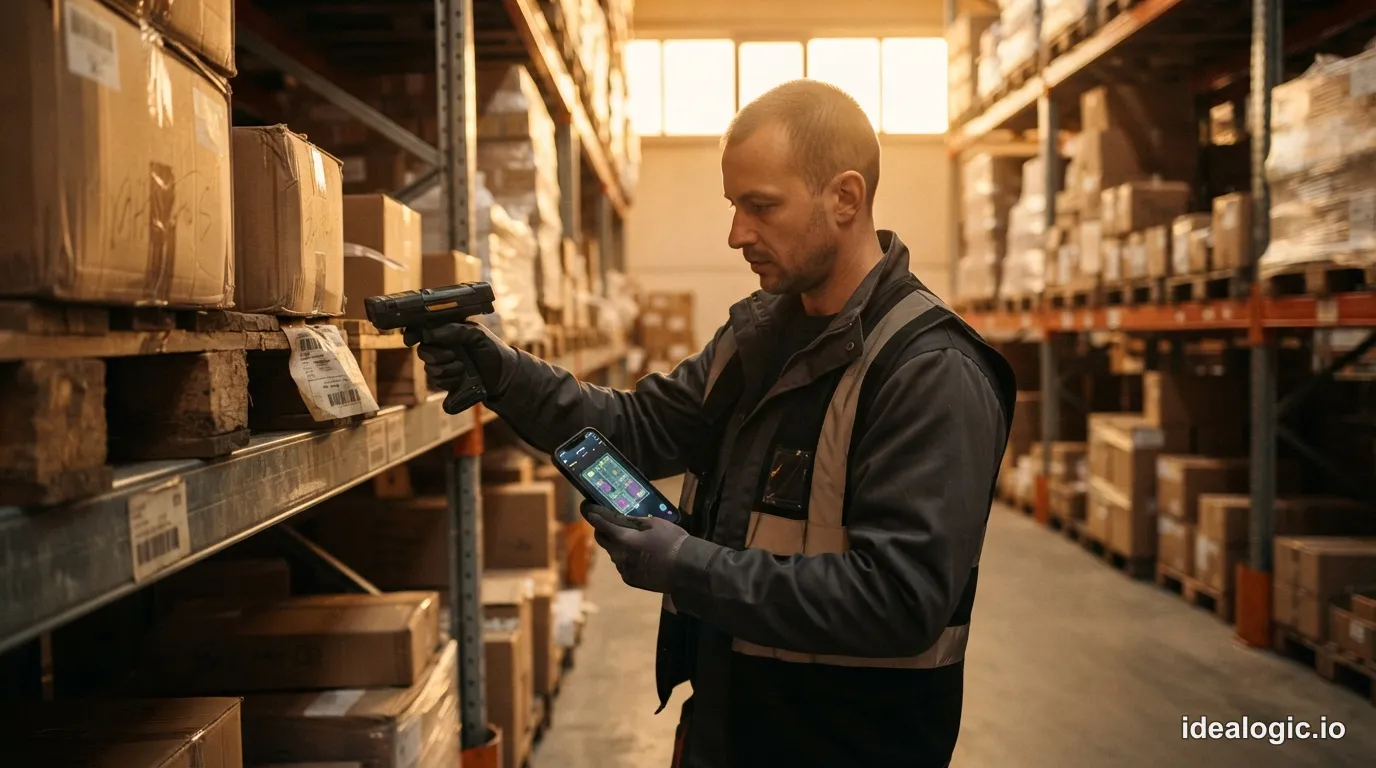
Warehouse management system development is the engineering of operational software that tracks physical inventory at the bin and license-plate level, directs floor workers step by step on mobile RF barcode scanners, and controls goods from receiving docks to outbound trailers. While an ERP inventory module only knows a facility holds 5,000 units of a SKU, a warehouse management system (WMS) knows 1,200 units sit in reserve rack A-04-03-B on Lot L9482 expiring in November, 400 sit in forward-pick rack F-01-01-A, and 240 sit on an active pick cart heading to Pack Station 4.
Building a WMS differs fundamentally from building back-office web apps. On a warehouse floor, software latency causes idle forklifts, backed-up conveyor sorters, and missed carrier cutoffs. Below is the engineering blueprint of a modern WMS: how it divides state with ERP and WES/WCS layers, how to guarantee sub-150ms RF scanner response across Wi-Fi dead zones, how directed putaway and wave/waveless picking work, how EDI 940/945/856 and ZPL thermal printing run in production, and what custom WMS development costs in 2026.
The short version
- Three-layer floor boundary: The ERP owns financial inventory and orders; the WMS owns bin-level stock, directed RF labor, and GS1/carrier labels; the WES/WCS drives conveyors, sorters, and robots in sub-second loops via OPC UA and PLC sockets.
- Sub-150ms RF ergonomics: Pickers perform up to 1,800 scans per shift on rugged Zebra and Honeywell Android terminals; scan-to-beep validation must stay under 150ms using hardware DataWedge intents and offline-resilient local caches.
- LPN and multi-UOM data model: Every item move is tracked via a unique License Plate Number (LPN) across nested handling units (pallet, master case, inner pack, each) and catch-weight conversions.
- Algorithmic slotting and picking: Production WMS engines enforce ABC velocity zoning, 3D cube and rack weight limits, hazmat segregation, FEFO lot/expiry rules, and serpentine pick paths across discrete, batch, zone, wave, and waveless workflows.
- Native EDI & ZPL II hardware output: Enterprise and 3PL warehouses run on ASC X12 EDI (940, 943, 944, 945, 947, 856), GS1-128 SSCC barcodes, and raw ZPL II streams sent directly to thermal printers over TCP port 9100.
- 2026 build vs buy economics: Buy commercial WMS software for standard pallet-in/carton-out buildings; build custom ($110k-$220k for a focused MVP; $250k-$480k for multi-site/3PL) when floor geometry, catch-weight/kitting rules, or SaaS seat taxes break commercial templates.
What a warehouse management system executes from ASN receiving to ship confirm
A warehouse management system governs the physical lifecycle of inventory inside the four walls of a facility. Its core invariant is strict: no physical move happens without a validated scan. Whenever a pallet, tote, or unit changes location or state, the WMS verifies the scan against business rules and commits an atomic ledger transaction.
First, receiving and quality quarantine start before the trailer hits the dock. The WMS ingests an Advance Ship Notice (EDI 856 or EDI 943) listing expected POs, SKUs, lots, and pallet License Plate Numbers (LPNs). Unloaders scan each supplier GS1-128 pallet label or print an internal LPN tag at the dock, flagging over-shipments or short-dated lots and locking uninspected stock in QC-HOLD.
Second, directed putaway and replenishment move stock from staging into storage. The slotting engine computes the best bin using SKU velocity (ABC class), pallet height and weight, cold-chain or hazmat rules, and forward-pick depletion. The forklift operator scans the LPN, drives to the directed bay, and scans the bin barcode to unlock the stock.
Third, order allocation and directed picking turn outbound orders into floor tasks. The WMS allocates specific lots (FIFO or FEFO), groups picks into waves or waveless streams, and sequences tasks along a serpentine path. Operators confirm every bin, SKU, lot, and quantity via RF scanner into license-plated totes or pallets.
Fourth, packing, manifest verification, and shipping close the loop. At the pack station, the packer scans the tote, packs an outbound carton, weighs it on a USB/serial scale, and prints the carrier label and GS1-128 Serial Shipping Container Code (SSCC) label. On departure, the WMS sends an EDI 945/856 confirmation to the ERP and hands the weight, cube, and SSCC manifest to the transportation management system for dispatch.
Architectural boundary: ERP vs WMS vs WES/WCS on the warehouse floor
In discovery workshops for logistics software development and logistics management software, the first problem we solve is untangling system boundaries. Distributors often run barcode picking directly inside a customized ERP (SAP, NetSuite, Dynamics 365), or expect a cloud WMS to toggle 24-volt photo-eyes and divert arms on a conveyor loop.
A resilient fulfillment architecture separates the stack into three layers by state granularity and response latency.
- Why ERPs fail as a high-volume WMS: ERPs are built for double-entry accounting. Every inventory adjustment locks general ledger tables and runs financial triggers. When 80 pickers scan items every four seconds, routing each scan as an ERP transaction causes lock contention and multi-second freezes. The ERP should only send shipping orders (EDI 940) and receive receipt, shipment, and adjustment summaries (EDI 944, 945, 947).
- Why WMS platforms delegate hardware control to a WCS/WES: When a carton moves down a sliding-shoe sorter at 180 feet per minute (3 feet per second), the controller has 30 to 50ms after the tunnel scanner reads the barcode to fire the divert shoes into the chute. A cloud WMS cannot guarantee 30ms jitter-free latency over a WAN link. Instead, the WMS downloads a routing table (
Carton LPN -> Chute 07) to the local WCS/WES, which drives Siemens or Allen-Bradley PLCs over OPC UA or TCP sockets.
Why warehouse floor latency is non-negotiable: sub-150ms RF scan-to-beep engineering
When floor teams reject a newly deployed WMS, the complaint is almost always scan-to-beep latency and Wi-Fi dead zones.
Inside a distribution center, operators use ruggedized Android mobile computers: pistol-grip terminals (Zebra MC9300/MC9400, Honeywell CK65), ring scanners (Zebra WT6300 + RS5100), and forklift tablets regulated under OSHA 29 CFR 1910.178 Powered Industrial Trucks safety rules. A picker or packer executes 800 to 1,800 barcode scans per shift.
- In a naive web-wrapper WMS making an uncached cloud round-trip on every scan, validation takes 1,200 to 2,000ms.
- At 1,500 scans per shift, adding 1.5 seconds per scan wastes 37.5 minutes of idle waiting per worker daily (37.5 hours lost daily across a 60-person shift).
- When an RF gun does not beep within 150ms, muscle memory assumes the laser missed and pulls the trigger again, causing double-picks or skipped prompts.
When we engineer custom warehouse mobile apps (in native Kotlin or React Native with hardware bridges), we enforce four rules for the RF layer:
- Hardware Imager Integration via Native Intents: Smartphone cameras take 800ms to autofocus in dim aisles and drain batteries in three hours. Rugged Zebra and Honeywell terminals use 1D/2D laser and long-range imagers reading barcodes up to 40 feet away. The app binds directly to Zebra DataWedge Android Intents or the Honeywell Mobility SDK, delivering decoded strings in under 15ms.
- Acoustic and Haptic Feedback: Operators work by sound and touch. The client emits a crisp high-frequency 90ms tone for a valid scan, and a harsh double-buzz low-frequency alarm with hard screen-lock on a wrong bin or SKU scan.
- Pre-Fetched Batches and Sub-150ms Local Validation: Steel racking, liquid drums, and -20°C freezer walls cause 2-to-8-second Wi-Fi roaming drops (802.11k/v/r). The app pre-fetches the active pick wave or putaway queue into a local SQLite database, validating bin and GTIN scans locally in under 10ms, beeping immediately, and queuing signed events (
event_id,operator_id,lpn_id,from_bin,to_bin,monotonic_timestamp) for background sync. - Deterministic Offline Conflict Resolution: Putaway bin reservations are leased on assignment. If two offline forklifts scan pallets into the same bay in a dead zone, the server accepts the physical truth on reconnect and spawns a bin-audit task instead of an HTTP 409 error.
Core warehouse algorithms: location modeling, directed putaway, and slotting
Off-the-shelf inventory plugins treat a warehouse as a flat list of bin names. A production WMS models the building as a 3D graph paired with a License Plate Number (LPN) state machine.
The canonical location graph and nested LPN data model
Every storage position is a node in a hierarchical topology:
Each bin node stores internal dimensions, maximum payload weight (rack beam limits), equipment accessibility (pallet jack, reach truck up to Level 6, or carton-flow rack), environmental flags (ambient, chilled, -20°C frozen, hazmat cage, or quarantine), and Cartesian coordinates (x, y, z).
Inside those bins, stock lives in a nested License Plate Number (LPN) hierarchy: a parent pallet LPN (18-digit GS1 SSCC) holds 40 master cartons, each holding 6 inner packs of 12 eaches. When replenishment pulls a pallet from reserve to top up a forward piece-pick bin, the WMS runs an atomic UOM conversion and LPN split, keeping traceability to the receipt, PO, lot, and expiry date. For food, protein, and metal distributors, the LPN schema also tracks catch-weight inventory, recording exact scale weights (21.48 lbs, 22.15 lbs) per case.
Directed putaway and dynamic slotting algorithms
When an inbound pallet is scanned at receiving, the directed putaway engine scores candidate bins across four rules:
- Hard Constraint Filtering: Exclude bins whose temperature, hazmat class, security level, cubic volume, clearance height, or weight capacity violates the pallet profile, and enforce single-SKU/single-lot homogeneity in deep-lane storage to prevent honeycombing.
- Cross-Dock and Opportunistic Replenishment: Route directly to cross-dock staging if an outbound order needs that SKU, or to forward-pick replenishment if the primary pick bin is below its minimum trigger.
- ABC Velocity and Golden-Zone Slotting: Fast-moving
ASKUs (the 15% to 20% of items generating 70% to 80% of daily picks) go into the ergonomic golden zone (levels 1 and 2) nearest pack stations and docks, while slowCitems go to upper bays and back aisles. - FIFO, FEFO, and DSCSA Compliance: Pharma, food, and chemical distribution enforce FEFO (First-Expired, First-Out) allocation. In US pharma, the WMS enforces the FDA Drug Supply Chain Security Act (DSCSA), verifying serialized product identifiers (GTIN, serial number, lot, and expiration in a GS1 DataMatrix 2D barcode) at every receipt, move, and shipment.
Picking strategies compared: discrete, batch, zone, wave, and waveless continuous flow
Order picking accounts for 50% to 65% of warehouse labor, with 60% of a picker's shift spent walking or driving. A custom WMS lets you combine picking modes to fit your order profile.
Two routing optimizations inside the picking engine cut travel time immediately:
- Serpentine Pick-Path Sequencing and Congestion Control: Our WMS models the floor as a directed graph and computes S-shape (serpentine) or largest-gap traversal paths (using Google OR-Tools for cart batching), staggering releases so order-picker lifts do not bottleneck in narrow aisles.
- Task Interleaving (Eliminating Deadhead Travel): Instead of driving 400 feet to Aisle 12 to put away a pallet and returning with empty forks, task interleaving assigns an outbound pallet pick or replenishment pull in
Aisle 12as soon as the putaway scan finishes, cutting empty forklift travel by 25% to 35%.
EDI 940/945/856, GS1-128 SSCC labels, and ZPL II thermal printer architecture
In enterprise distribution and 3PL operations, the WMS exchanges standardized EDI documents with ERPs and retail partners while driving thermal label printers at sub-second speed.
The warehouse EDI transaction spine (ASC X12 and UN/EDIFACT)
Six ASC X12 EDI transaction sets and their UN/EDIFACT equivalents form the contract between an ERP and a WMS:
Big-box retailers issue chargebacks ($25 to $250+ per carton) if the items inside Carton SSCC 00100123451234567895 do not match the HL pack node in the EDI 856 ASN. Because our WMS records item-to-carton and carton-to-pallet links at the pack station, the EDI 856 generator serializes the exact SOPI/SOTPI packing tree from the database.
GS1-128 Application Identifiers, EPC/RFID, and raw ZPL II over TCP port 9100
A production WMS parses and generates GS1-128 linear barcodes and GS1 DataMatrix 2D symbols using Application Identifiers (AIs) separated by FNC1 characters: AI (00) 18-digit SSCC with Modulo 10 check digit, AI (01) 14-digit GTIN, AI (10) Batch/Lot, AI (17) Expiration Date (YYMMDD), AI (37) Item Count, and AI (310n) / (320n) Net Weight. Where dock doors use UHF RFID portals, the WMS encodes and reads GS1 EPC/RFID UHF Gen2 (ISO/IEC 18000-63) tags (SGTIN-96 and SSCC-96), filtering stray reads via RSSI and phase-angle thresholds.
Critically, never use browser print dialogs (window.print()) or PDFs for pack-station thermal printers. Rendering a PDF through an OS spooler takes 2 to 5 seconds per label and produces dithered barcodes. Instead, a production WMS generates native ZPL II (Zebra Programming Language) ASCII templates (^XA ... ^BCN ... ^XZ). When a packer places a sealed carton on a USB/RS-232 scale, a local print agent reads the weight and streams the 1.5 KB ZPL II payload to the Zebra ZT411/ZT610 printer over raw TCP port 9100, feeding a 203/300 DPI label in under 80ms.
You can spot a warehouse system designed by engineers who have never stood on a concrete shipping floor within five minutes of watching a pack station. If the picker has to wait a full second for an RF gun to beep, or the packer has to click through a browser PDF print modal for every shipping label, the floor team will invent workarounds before lunch. On the warehouse floor, sub-150ms scan validation and raw ZPL socket streaming are not nice-to-haves; they are the product.
That floor-first discipline shapes our production platforms. In HaulBreeze, Idealogic's supply chain platform, inventory balances, orders, automated transactions, and compliance documents live on one canonical data layer with strict bulk-import validation. And in Conveya (DispatchMVP), our vehicle logistics platform, every inspection and transit scan updates internal operations and customer views from a single source of truth.
Custom WMS development cost in 2026 and when to build vs buy
Custom warehouse management system development pays off when your floor layout, inventory model, or 3PL billing logic cannot fit inside a commercial template.
If a 3PL runs the facility for you, connect your ERP and supply chain visibility software to the 3PL's WMS via EDI 940/945/856 rather than building your own. A single warehouse with 400 standard SKUs on conventional racking and 15 workers should buy a mid-market commercial WMS. Custom development wins when configuration workarounds create a shadow system of spreadsheets and label scripts, when per-seat SaaS licensing ($100,000 to $350,000+/yr plus $200,000 to $600,000 in implementation fees) scales against your headcount, or when fulfillment speed and 3PL portals are your moat.
2026 custom WMS development cost tiers
Per Eurostat lc_lci_lev labor cost data, average EU hourly labor costs stand at EUR 33.5 (EUR 37.3 in the euro area), with marked variance between Western and Central/Eastern Europe. Partnering with a senior European logistics squad ($6,000 to $9,500 per engineer-month) lets an operator build and own a tailored WMS for roughly one year's Tier 1 enterprise license bill. See our supply chain software cost guide for full estimates.
How to de-risk a warehouse cutover: the parallel zone pattern
Never cut over a distribution center on a Monday morning "big bang" switch. Run a zone-by-zone parallel cutover: audit rack barcodes and Wi-Fi roaming heatmaps first, shadow-run one bounded zone or client account for 2 to 4 weeks on live Zebra RF terminals and ZPL printers while reconciling daily EDI 945/947 outputs against the ERP, and then cut over remaining zones aisle by aisle. Explore our logistics software development practice and custom software development engineering work to scope your build.
CTO and Co-founder at Idealogic. Directing engineering, systems architecture, security, and full-stack delivery across web, mobile, and blockchain.
Frequently asked questions
Warehouse management system development is the engineering of operational software that controls physical inventory and labor inside a distribution center or fulfillment facility. Unlike an ERP inventory ledger that only tracks total SKU quantities per site, a WMS models exact storage bins and License Plate Numbers (LPNs), directs receiving, putaway, replenishment, wave or waveless picking, and packing via mobile RF barcode scanners, and prints GS1-128 and carrier labels.
An ERP owns the financial general ledger, purchase orders, sales orders, and facility-level inventory valuation. A warehouse management system (WMS) owns bin-level physical inventory, directed human labor on RF scanners, slotting rules, and customer shipping labels. A Warehouse Execution or Control System (WES/WCS) sits below the WMS, communicating in milliseconds over OPC UA and TCP/IP with programmable logic controllers (PLCs) to drive conveyors, sorters, AS/RS cranes, and AMRs.
In 2026, building a focused single-site custom WMS MVP covering ASN receiving, directed putaway, barcode-driven picking, ZPL thermal label printing, and ERP integration typically costs between $110,000 and $220,000 over 12 to 16 weeks. A mid-market multi-site or 3PL WMS with client billing, EDI 940/945/856 pipelines, and dynamic slotting runs $250,000 to $480,000, while automated facilities integrating WES/WCS robotics and conveyors range from $500,000 to $900,000+.
A production WMS MVP covering core dock-to-dock workflows (inbound receiving, bin putaway, primary picking, pack-station verification, and shipping label generation) typically reaches the warehouse floor in 12 to 16 weeks. Experienced teams deploy in phases, running the new WMS in parallel with legacy tools on a single zone or product line for two to four weeks before cutting over additional picking modes, automation islands, and facilities.
In third-party logistics (3PL) and enterprise distribution, the ERP transmits an ASC X12 EDI 940 Warehouse Shipping Order instructing the WMS what to ship. At the pack station, the WMS generates a GS1-128 barcode label containing an 18-digit Serial Shipping Container Code (SSCC) using Application Identifier (00). Once the trailer departs, the WMS returns an EDI 945 Warehouse Shipping Advice to the ERP and sends an EDI 856 Advance Ship Notice to the receiver.
Discrete picking assigns one worker to pick a single order at a time. Batch picking groups multiple small orders onto one multi-tote cart to minimize travel distance. Zone picking divides the floor into fixed areas where specialists pick only their assigned aisles. Wave picking releases large groups of orders together aligned with carrier departure cutoffs, while waveless picking trickles high-priority orders continuously onto the floor to keep pack stations evenly loaded.
A high-volume warehouse picker executes 800 to 1,800 barcode scans per shift on rugged Android terminals such as Zebra or Honeywell handhelds. If every scan waits 1.5 seconds for a cloud round-trip over congested warehouse Wi-Fi, each worker loses 20 to 45 minutes of productive labor daily and double-scans items in frustration. A production WMS requires sub-150ms scan-to-beep validation backed by local device caching and offline scan queues.
Standard rectangular warehouses shipping uniform pallets or simple e-commerce parcels should usually buy or configure an established commercial WMS. Custom WMS development wins when your floor relies on non-standard storage geometry, catch-weight or multi-dimensional UOM splitting, strict FEFO cold-chain or serialized regulatory workflows, proprietary value-added kitting at pack stations, or when commercial per-user licensing and vendor change-order fees exceed the cost of owning the software.
More from the journal

Supply Chain Visibility Software: Architecture & Build Guide
Why map dots fail when shipment IDs fracture across modes, and how to architect real-time supply chain visibility software in 2026 using GS1 EPCIS 2.0 event graphs, DCSA ocean APIs, FMCSA ELD streams, and probabilistic ETA engines.

Supply Chain Planning Software: How It Is Built in 2026
Supply chain planning software decides what to make, buy and stock before anything moves. This guide takes the engine apart: the forecasting evidence from M5, the safety stock arithmetic, the solver benchmarks and the vendor filings that show what the price pays for.

Fleet Management Software: How It Is Built in 2026
Fleet management software turns vehicle telematics into decisions about location, driving, cost and compliance. How it is built in 2026: the CAN bus to dashboard pipeline, ELD and tachograph rules as requirements, measured safety and fuel evidence, and the cost to buy or build.